
Blog

The new version of the app is more than just an updated look and feel. We’ve intentionally enhanced and added features we know will make meal planning easier for you!
NEW
Cooking Timers
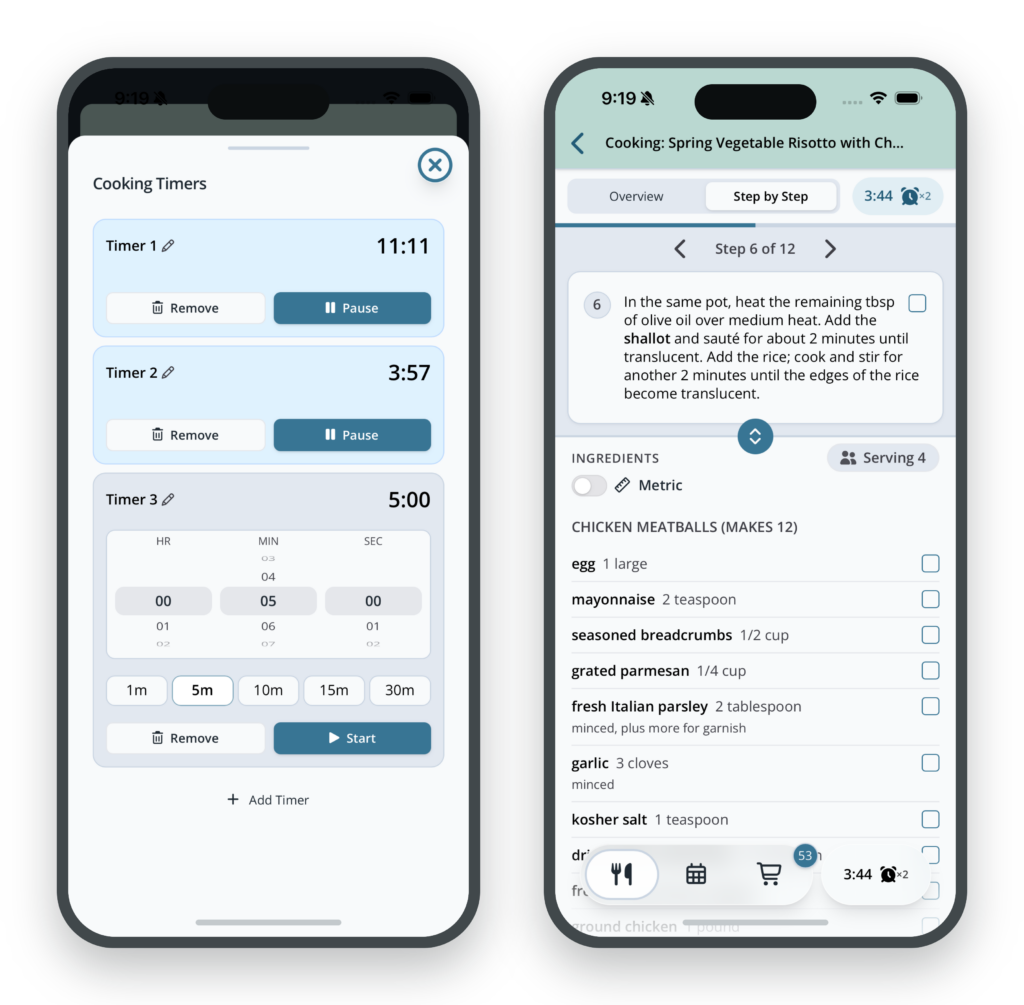
No more switching apps mid-recipe or setting a timer on the microwave. Run up to 5 timers right from Cooking View or a recipe’s directions. Name each one, pick a quick preset, and get a buzz and a sound when it’s done.
Your running timer stays in view at the bottom of the screen while you cook.
COOK
A clearer recipe page
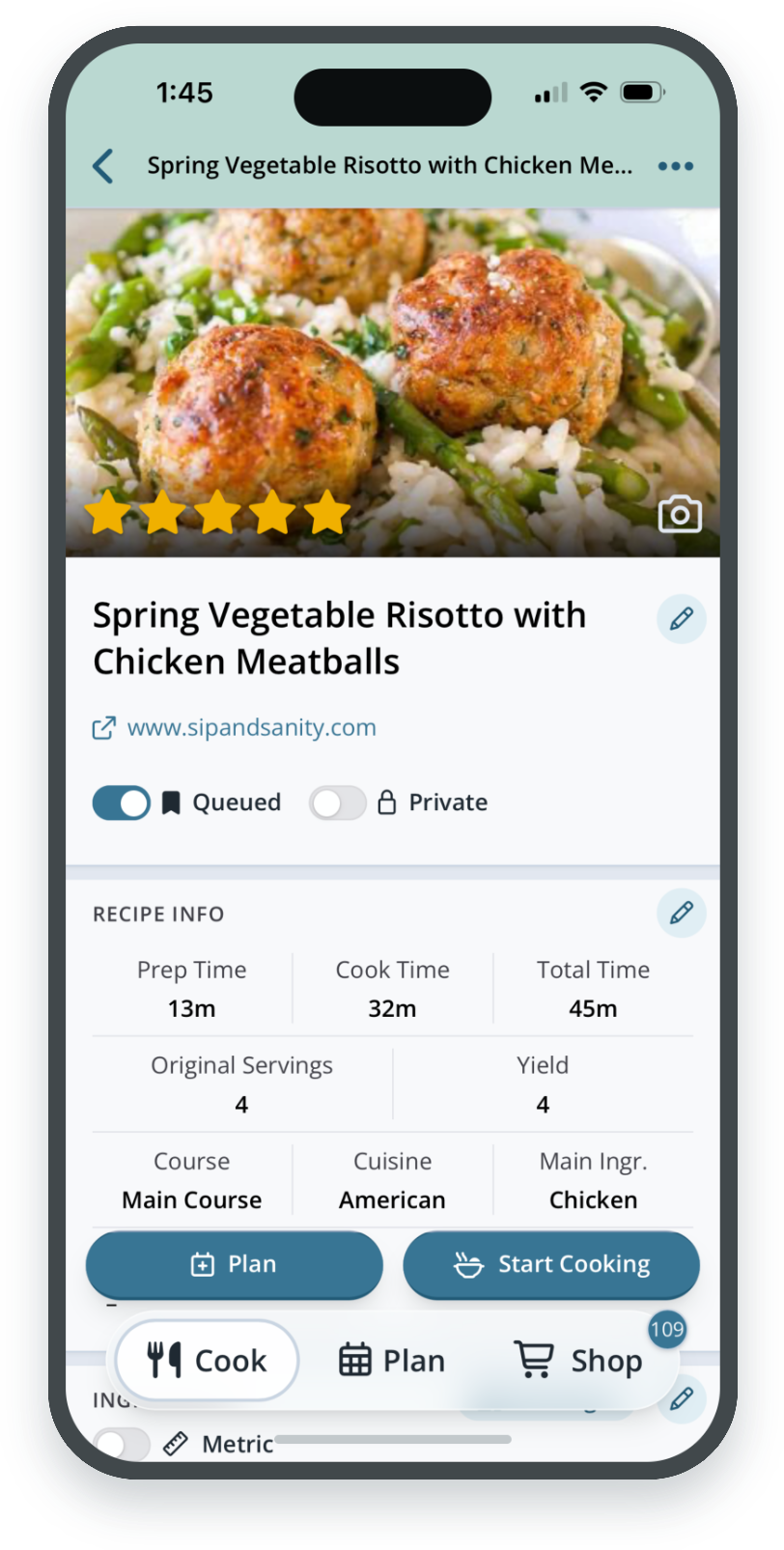
Recipe details are broken into clear sections that you can update individually with the pencil icons. Everything from categories to directions is organized so you can scan a recipe in seconds and edit it just as fast.
COOK
One-tap recipe scaling
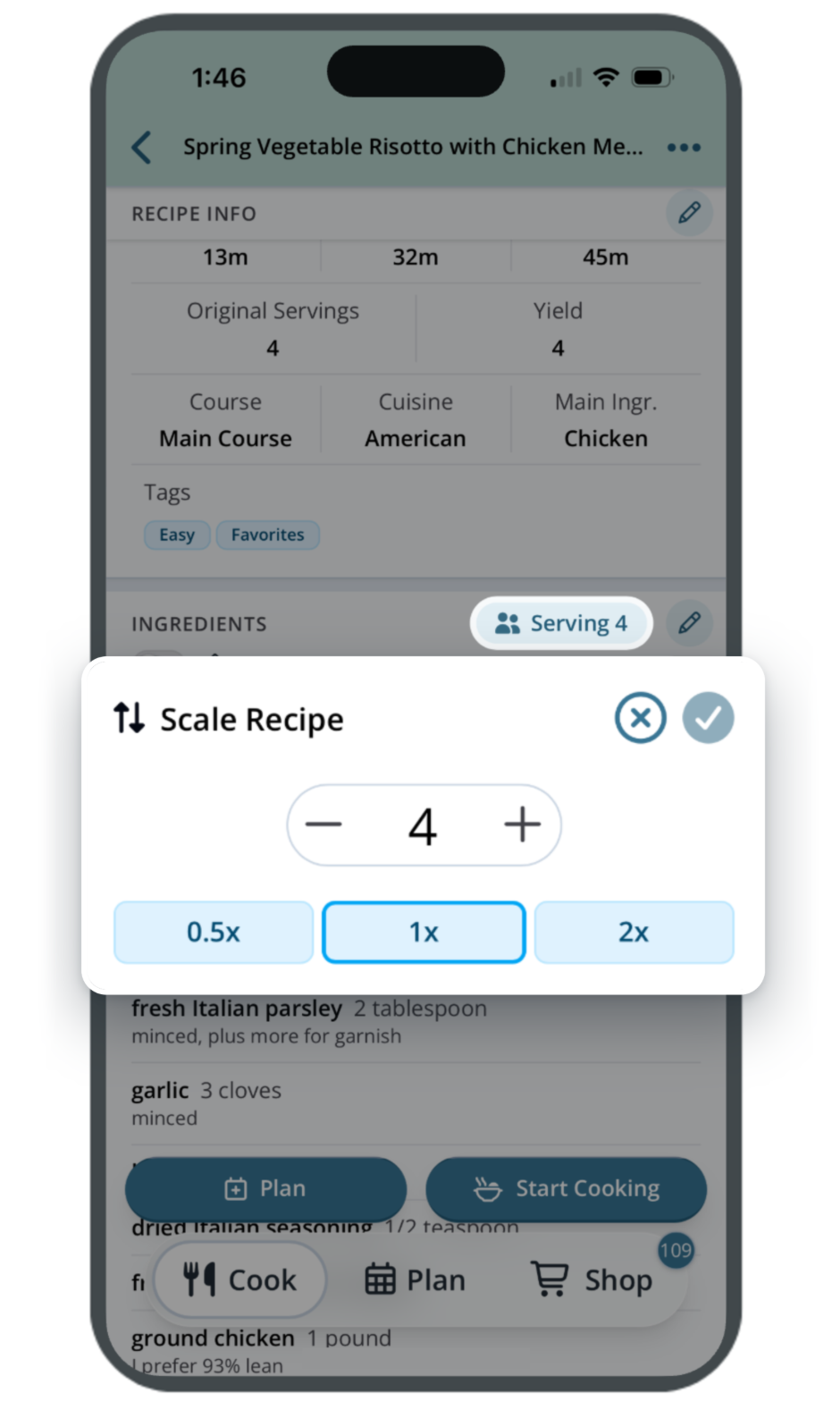
Doubling a recipe for guests or halving it for a smaller batch takes one tap. Pick 0.5x, 1x, or 2x, or enter a custom amount. Every ingredient still scales from the recipe’s original servings.
COOK
Faster filters, your own default sort
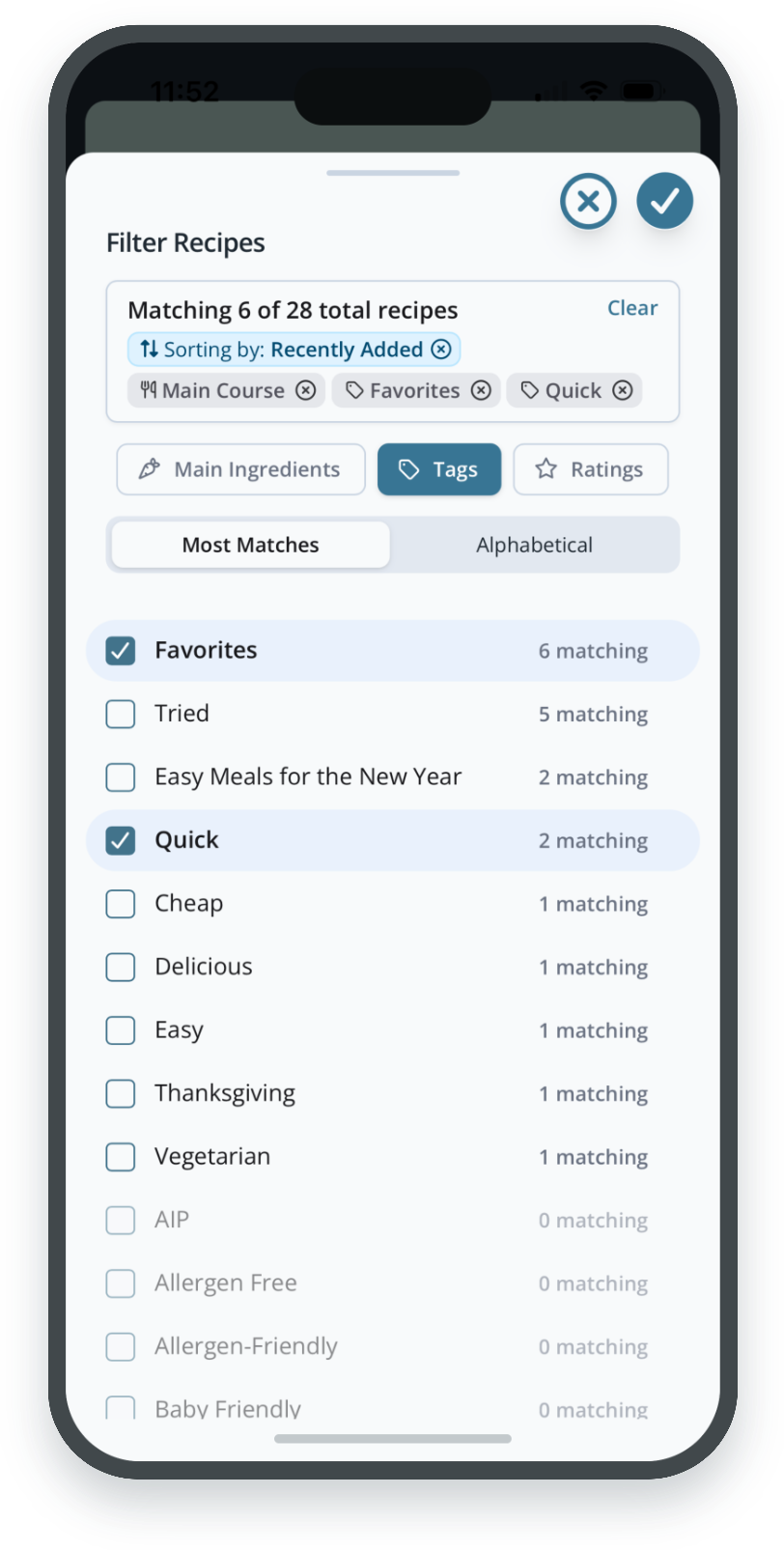
Filtering your Recipe Book is faster, even with a large collection. Each filter shows how many recipes match before you tap it.
Choose the sort order you like best and make it your default, and your Recipe Book will open that way every time.
PLAN
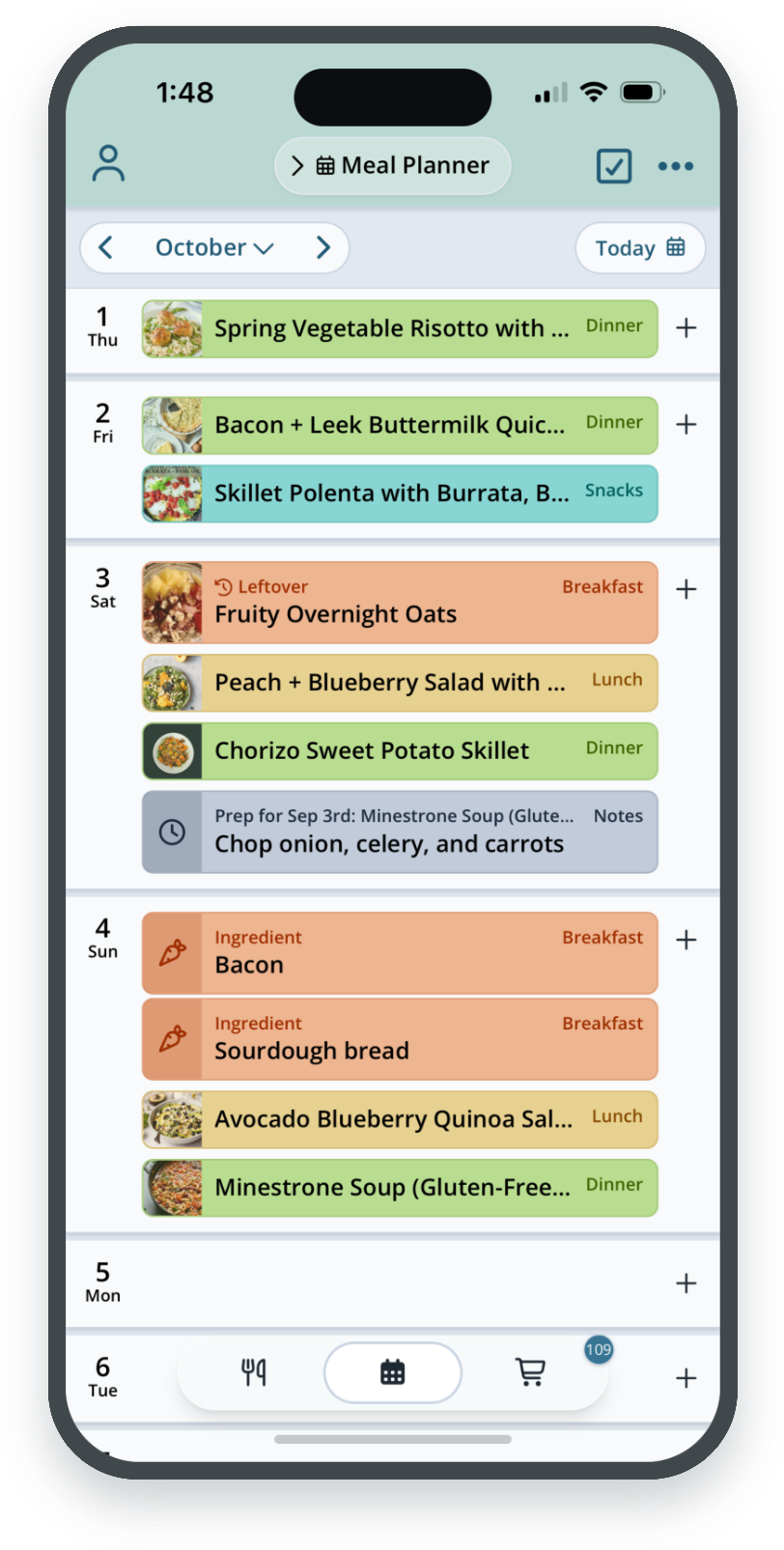
A planner you can read at a glance
- Recipe photos on each meal, or turn them off for a text-only view.
- 17 mealtime colors. Preview your choice live, and it follows you to planner cards, Menus and mealtime labels.
- Smoother drag and drop with bigger drop zones that show where a meal will land.
- Bulk edit. Select several meals to change servings, duplicate, reschedule, or delete them at once, with Undo.
PLAN
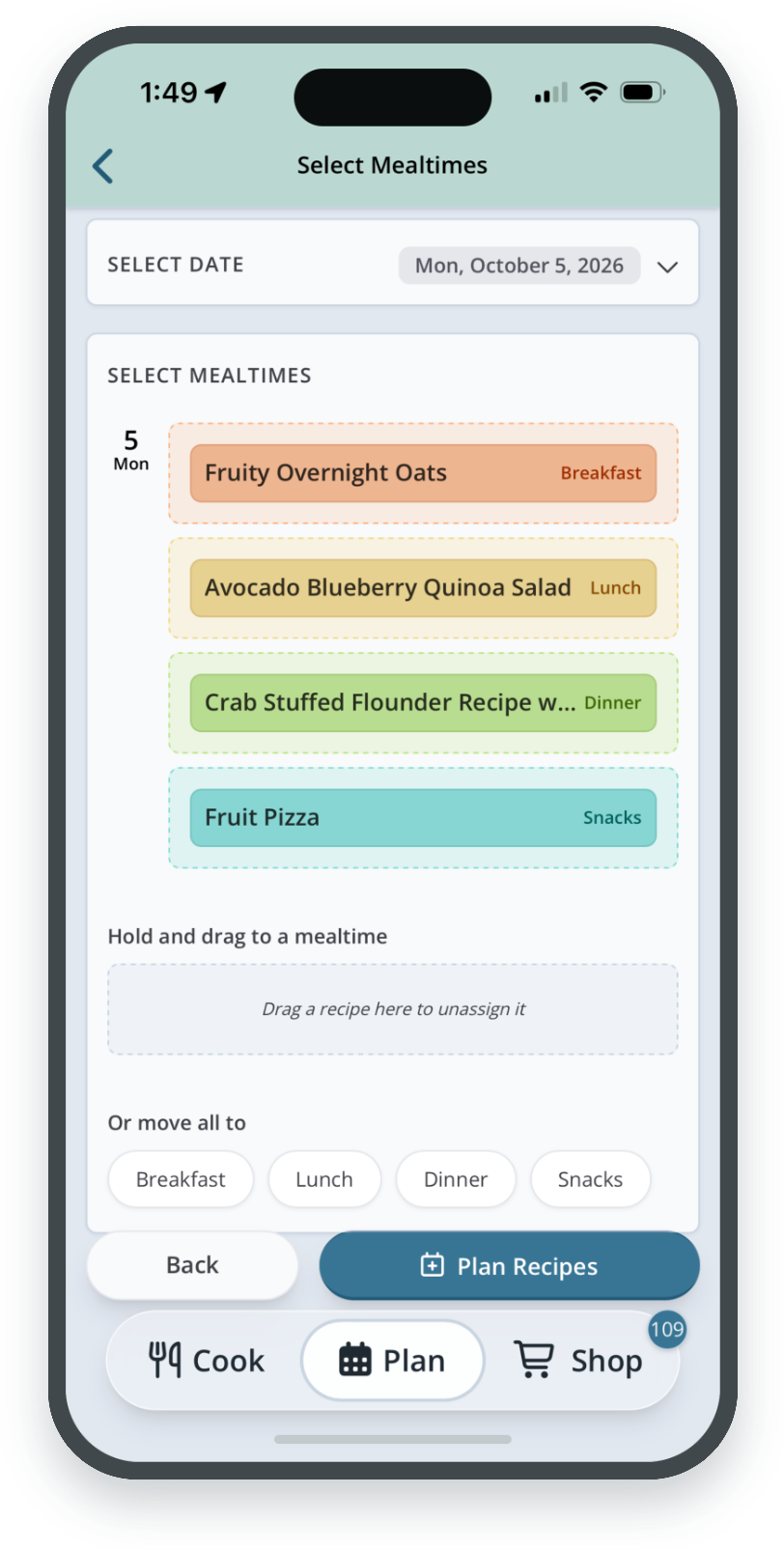
Plan a whole day at once
Pick several recipes, then drag each one onto breakfast, lunch, dinner, or snacks for that day. If they all belong to one meal, “Or move all to” places them with a single tap. You can change the date without starting over.
PLAN
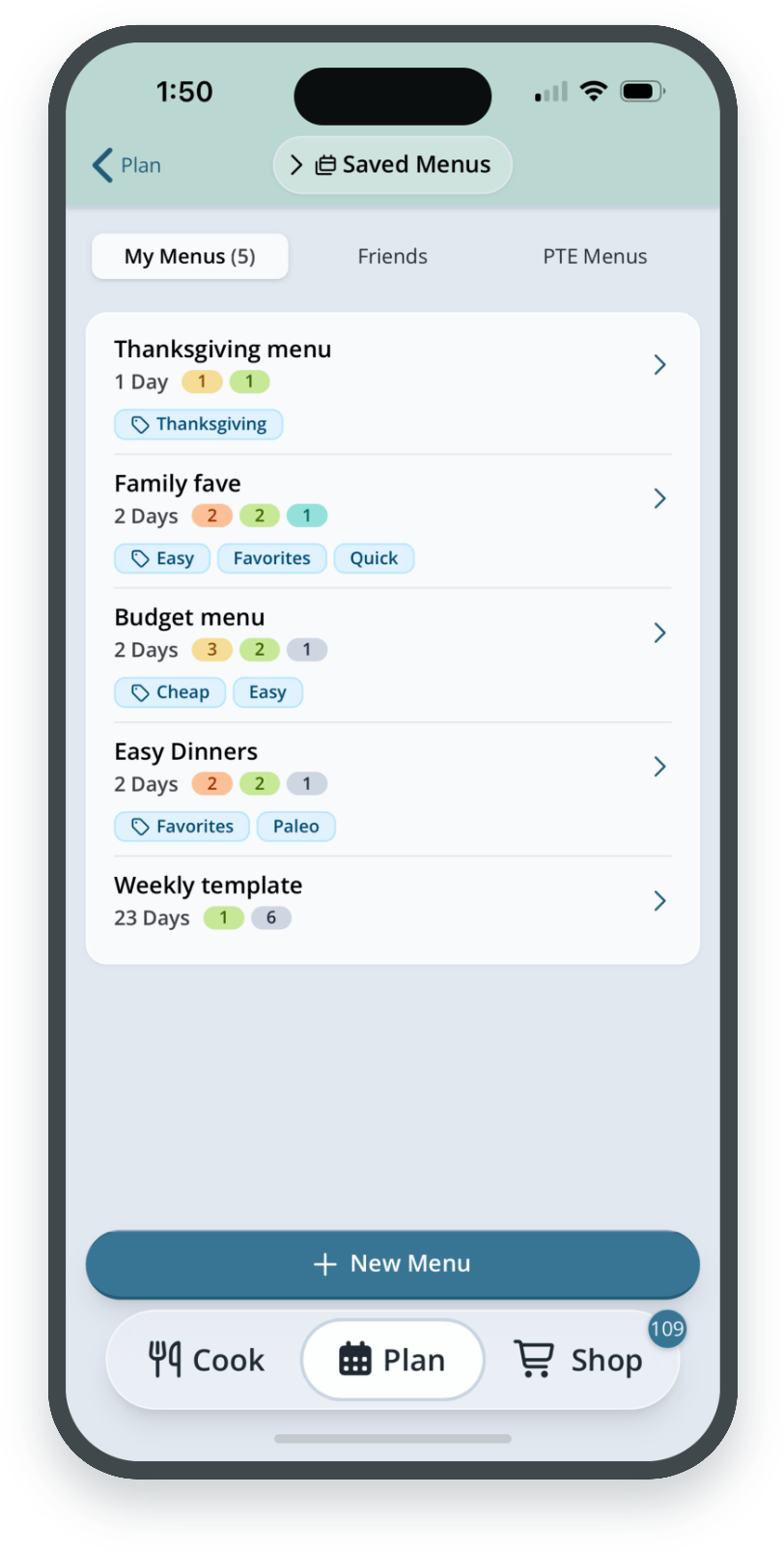
Menus, rebuilt
Open Menus from the Meal Planner header. Each menu shows the number of days, how many meals in each mealtime, and tags.
- Edit a menu day by day with the same drag-and-drop as the planner.
- Plan a menu from any start date, with a preview of which days get planned and an Undo.
- Select meals on your planner and save them as a new menu.
- Browse menus from Friends and from Plan to Eat, and copy any you like.
SHOP
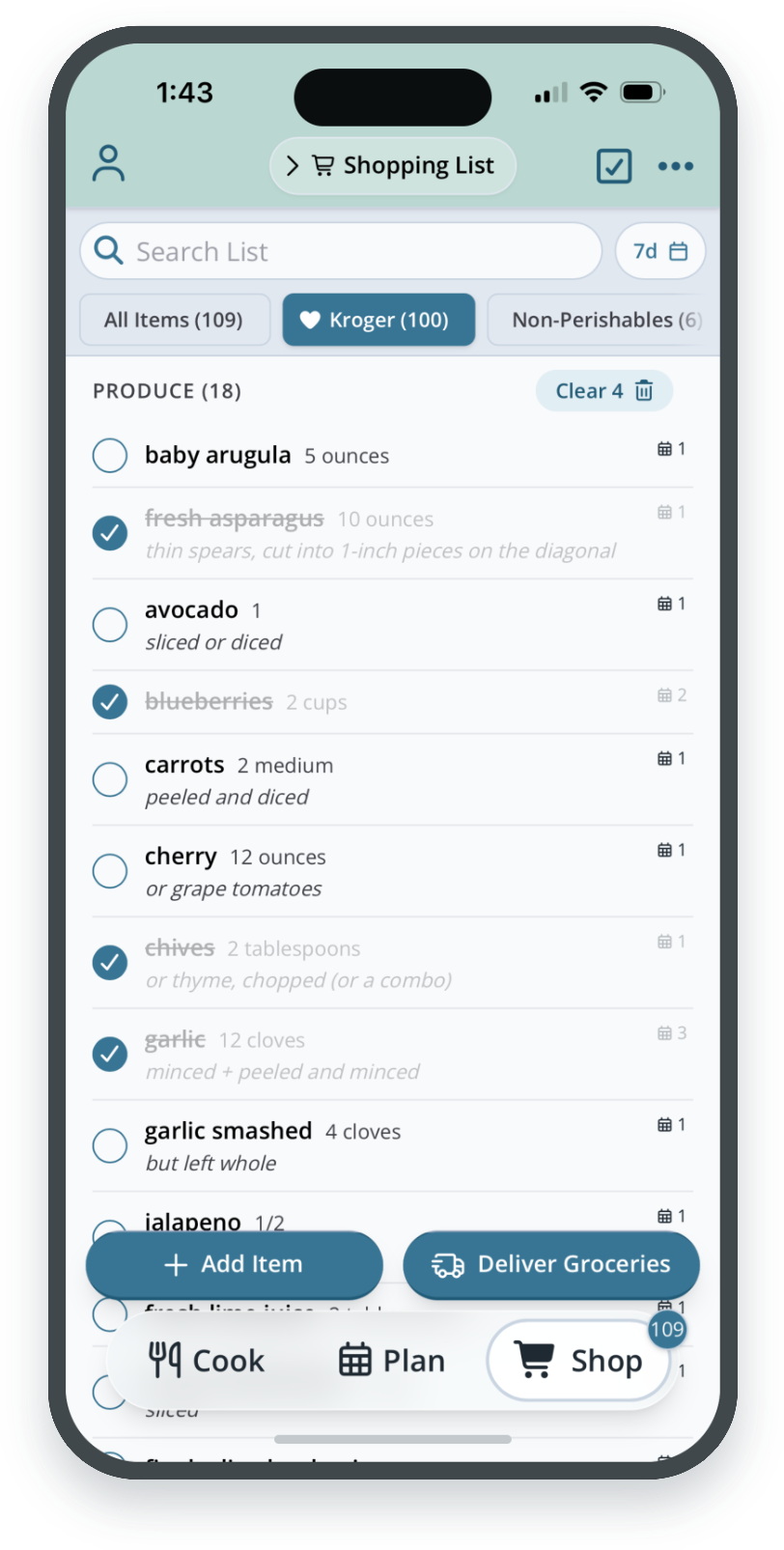
A shopping list built for the store
Switch stores with the tabs across the top of your list, and tap the “+” at the end to add a new one. Checkboxes beside each item mean fewer accidental check-offs, and Add Item and Deliver Groceries stay within reach.
SHOP
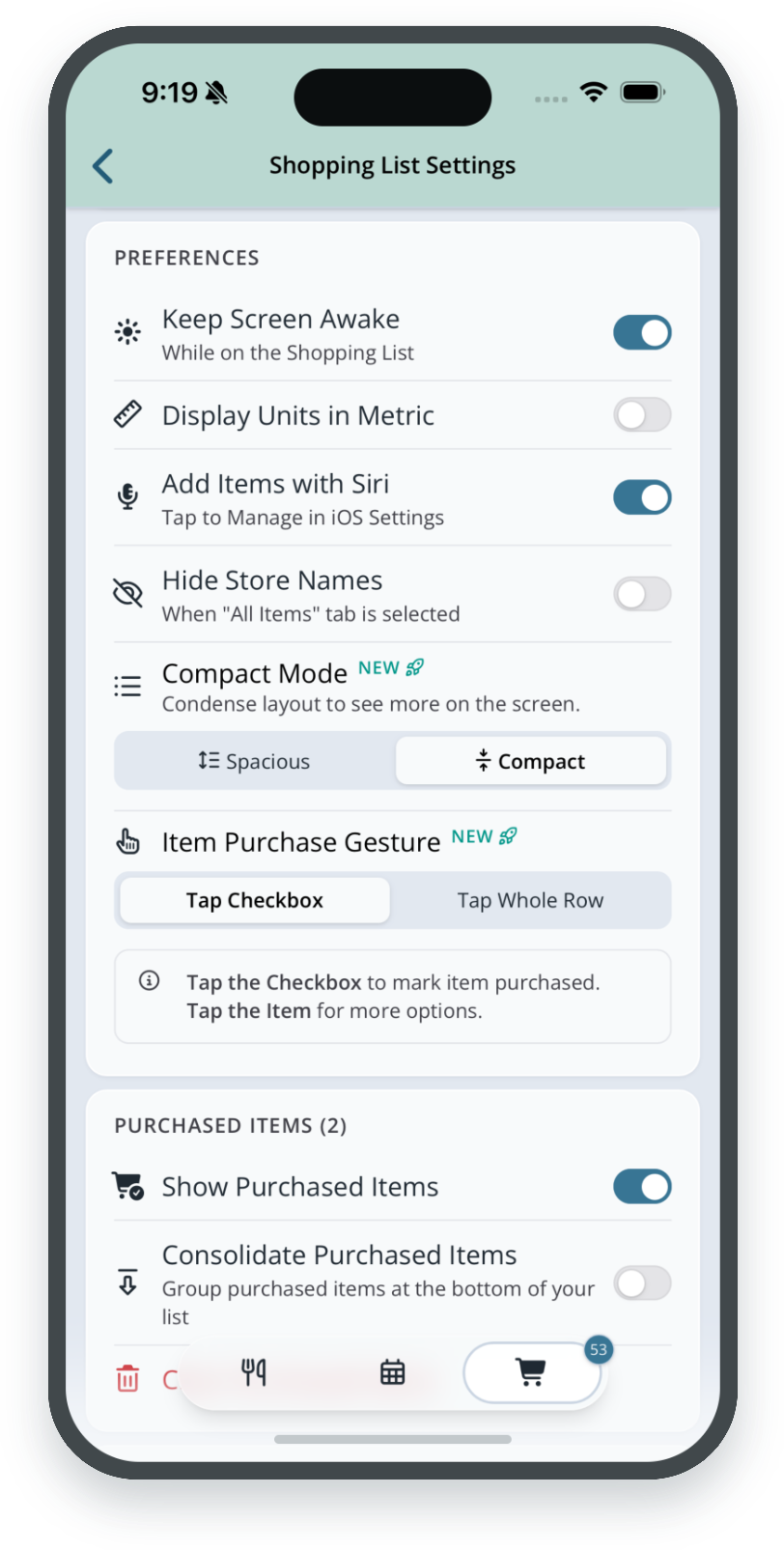
Shopping list settings, sorted
Settings are grouped into Actions, Preferences, and Purchased Items. A new option lets you choose how to check off items: tap the checkbox, or tap anywhere on the row.
SHOP
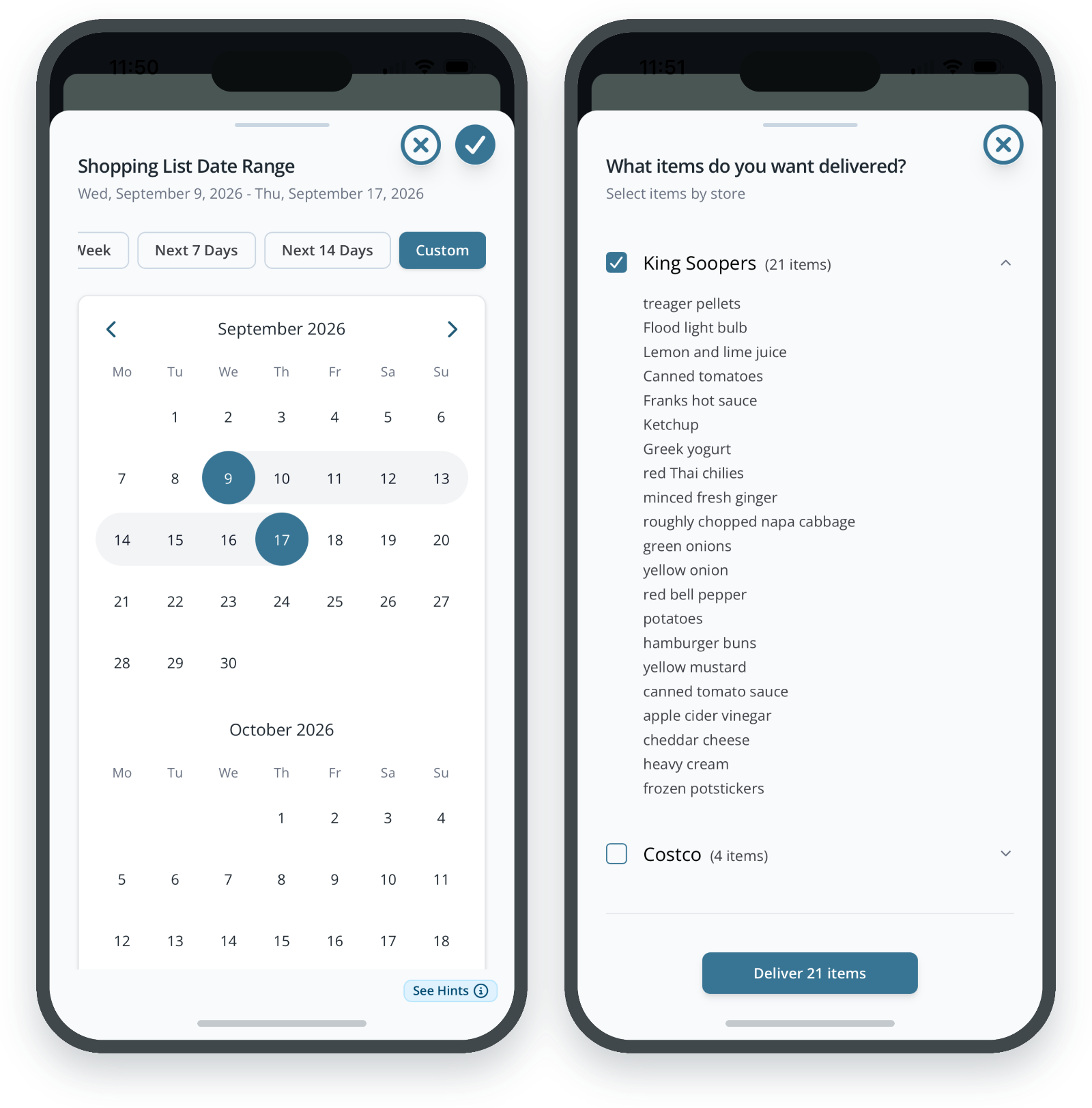
Date ranges and delivery
Pick a preset date range for your list, or set a custom one across two months of the calendar.
Before you send an order for grocery delivery, review every item store by store.
ACCOUNT
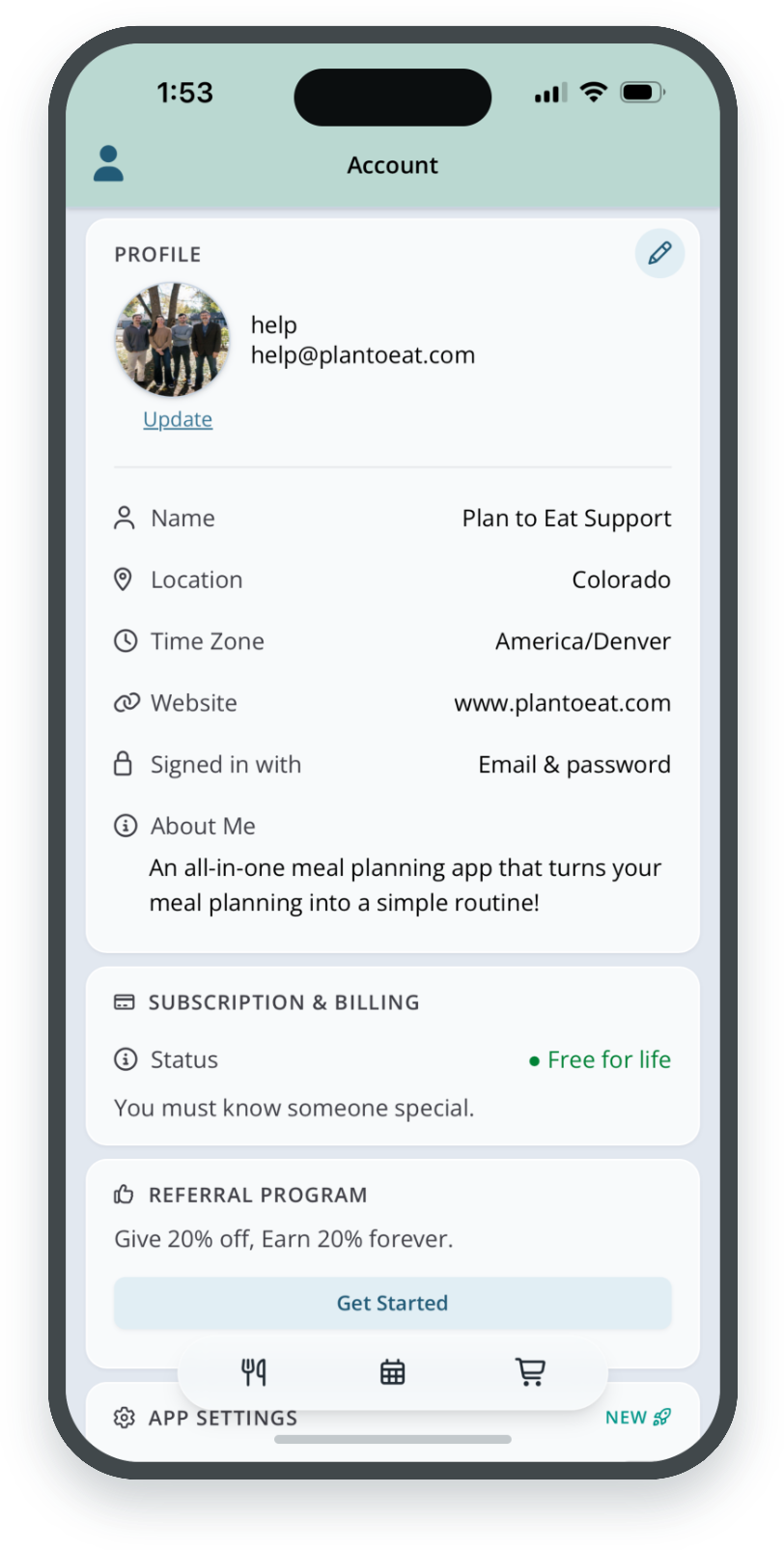
A tidier account page
Your account is grouped into clear sections: Profile, Subscription & Billing, Referral Program, App Settings, and Email Notifications. Add a profile photo, see your subscription status, and subscribe in the app with prices straight from your app store.
ACCOUNT
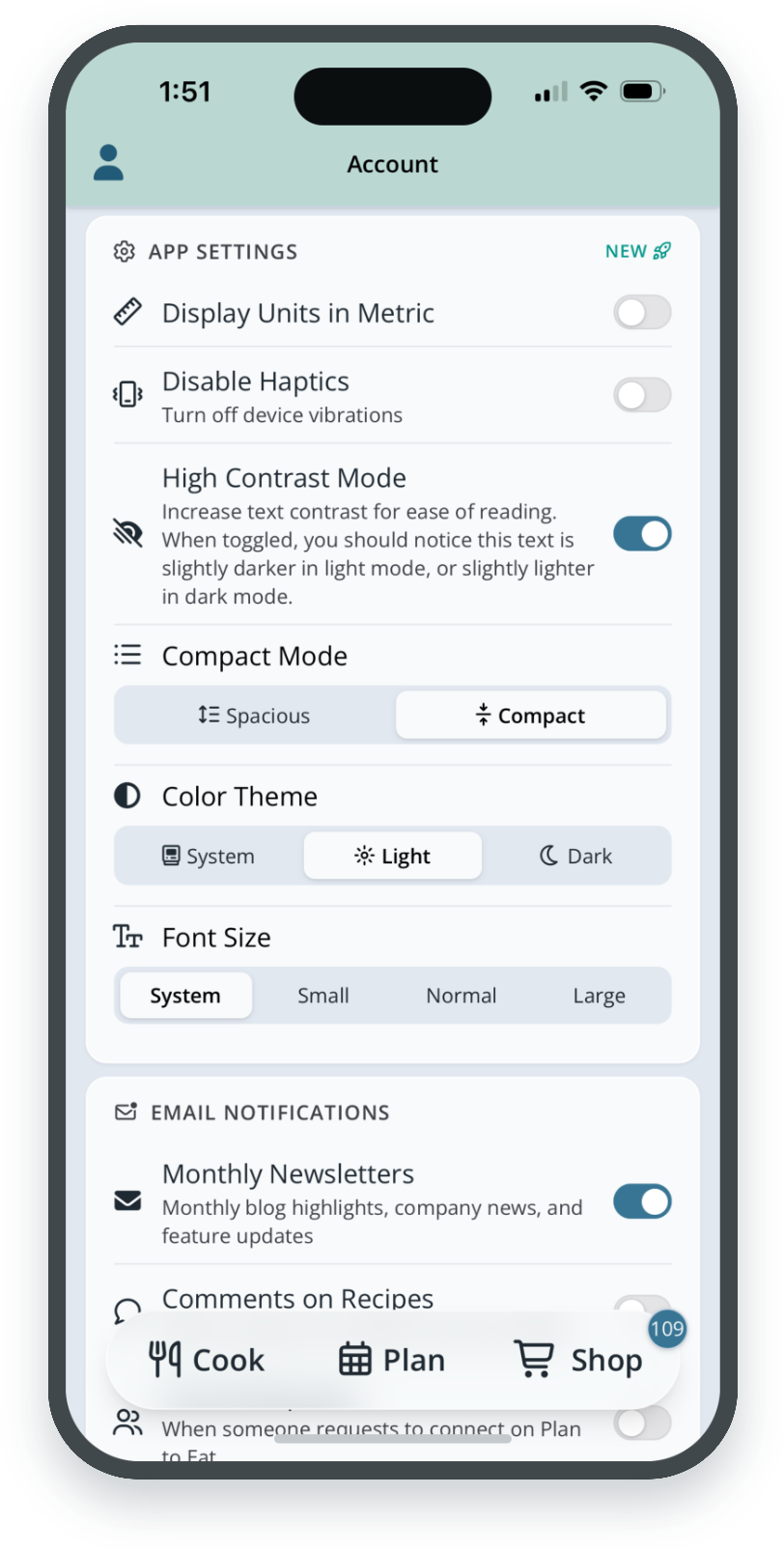
Make the app yours
- Compact or Spacious layout across the whole app.
- High contrast mode, with a sample line so you can see the difference.
- Customize color theme and font size.
- Haptics off with one switch, if you’d rather skip the buzz.
Ready when you are
The new design is the new default. Update Plan to Eat from the App Store or Google Play, open the app, and you’re in.
Need the old version for now?
Tap the Account Icon in the top-left corner and turn off V4 Experience. The previous version will stay available for a few months while we keep improving the new one.
Tell us what you think
Your feedback shapes what we fix and build next.