Blog /

We’ve added new organizational options to the Menus feature! With Menus you can save a meal plan or group of recipes for use again in the future. The options we added include the ability to:
- filter your Menus and your Friend’s Menus by keyword
- add tags to your Menus
- mark your Menus as private
The search bar and tags allow you to organize and find your Menus for even faster planning! Add tags to your Menus to categorize them according to your preferences and then use the search bar to filter the Menus shown. You can also mark your Menus as private to hide any you’d rather not share with your Plan to Eat Friends.
Search your Menus
The search bar in Menus is a keyword search that will filter Menus based on titles and tags. Adding more words to the search will result in Menus meeting all criteria.
You can also use the related search bar to filter your Friend’s non-private Menus.
Categorize your Menus with Tags!
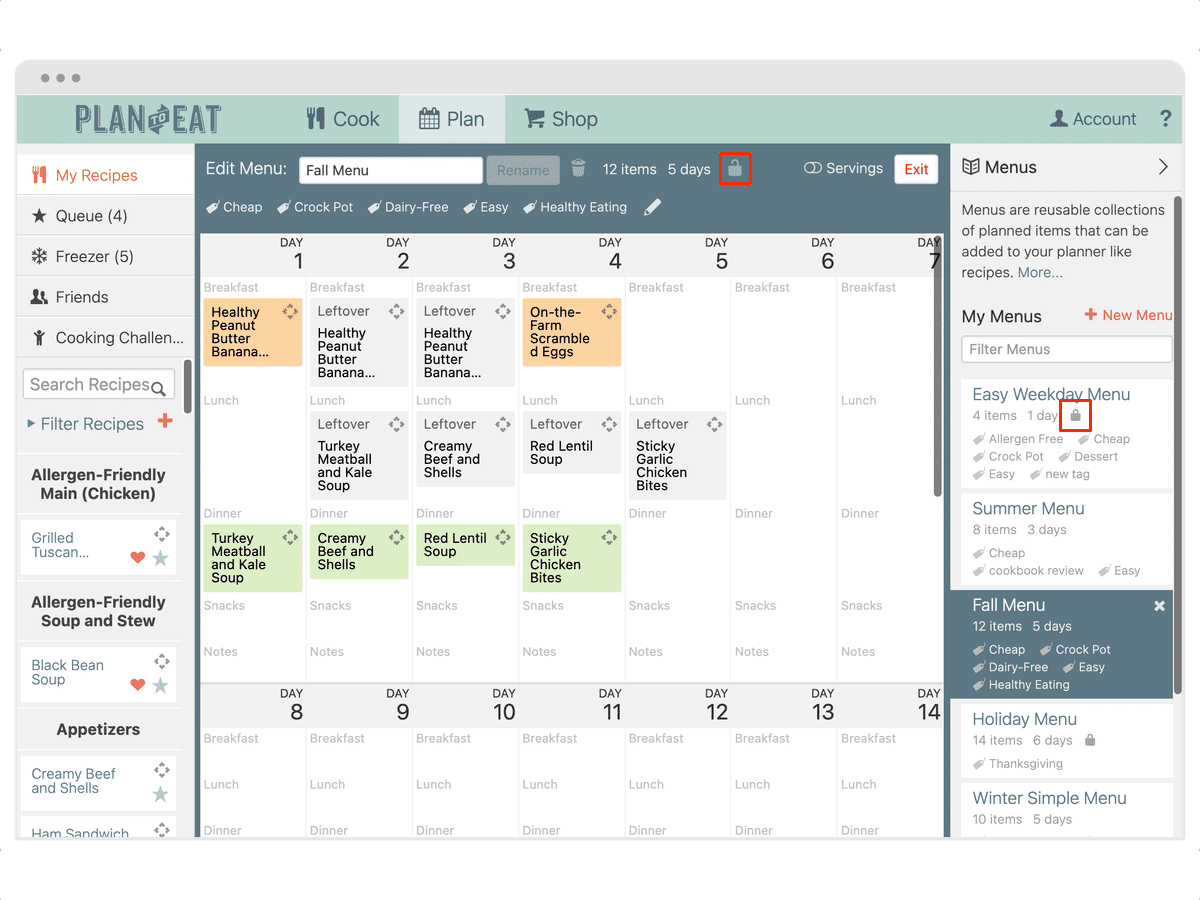
You can now add tags to your Menus to organize them and quickly find them! Your recipes and Menus share the same list of tags and the tags modal in Menus has the same functionality as it does in the Recipe Book. Adding, deleting, or removing tags in Menus will be reflected in the Recipe Book and vice versa.
Add Tags to Existing Menus
- Click the Menus button in the upper right header on your planner.
- Click on the Menu you’d like to edit.
- Click the “Add Tags” option in the Menu Editor.
- Select one of the pre-defined tags with the checkmark on the left.
- Or select Add New Tag… to create a new tag.
- Press the Save Changes button to finish.
- Press Close to close the edit modal.
Learn more about adding tags for categorization.
Make a Menu Private
- With the Menu pane open, click on the Menu you’d like to make private.
- Click on the lock icon in the Menu Editor.
Private Menus can be identified by a closed lock icon on the Menu in the sidebar listing. Once you make a Menu private, it cannot be seen or accessed by your Friends in Plan to Eat.